
Medical Billing

Describe the PMS and How It interacts with the EHR

Home / Describe the PMS and How It interacts with the EHR

Your front desk schedules a patient in your practice management system. Your clinical team documents the visit in the Electronic Health Records (EHR), but when billing time arrives, someone manually re-enters diagnosis codes (ICD-10 M54.5 for low back pain), insurance details, and procedure notes, which introduces errors that cost you money. The duplicate data entry between the Practice Management System (PMS) in healthcare and the EHR software slows your revenue cycle and creates denied claims. This is why it is essential to describe the PMS and how it interacts with the EHR in a clear, practical way with professional help.

According to research from the American Academy of Professional Coders (AAPC), integration gaps between administrative and clinical systems contribute to nearly 20% of claim denials in medical practices.

What Is a Practice Management System (PMS)?

A practice management system definition starts with its core purpose: managing the business side of healthcare. While your electronic health record’s meaning centers on clinical data, PMS for clinics handles administrative operations that keep your doors open.

Key PMS features in healthcare include:
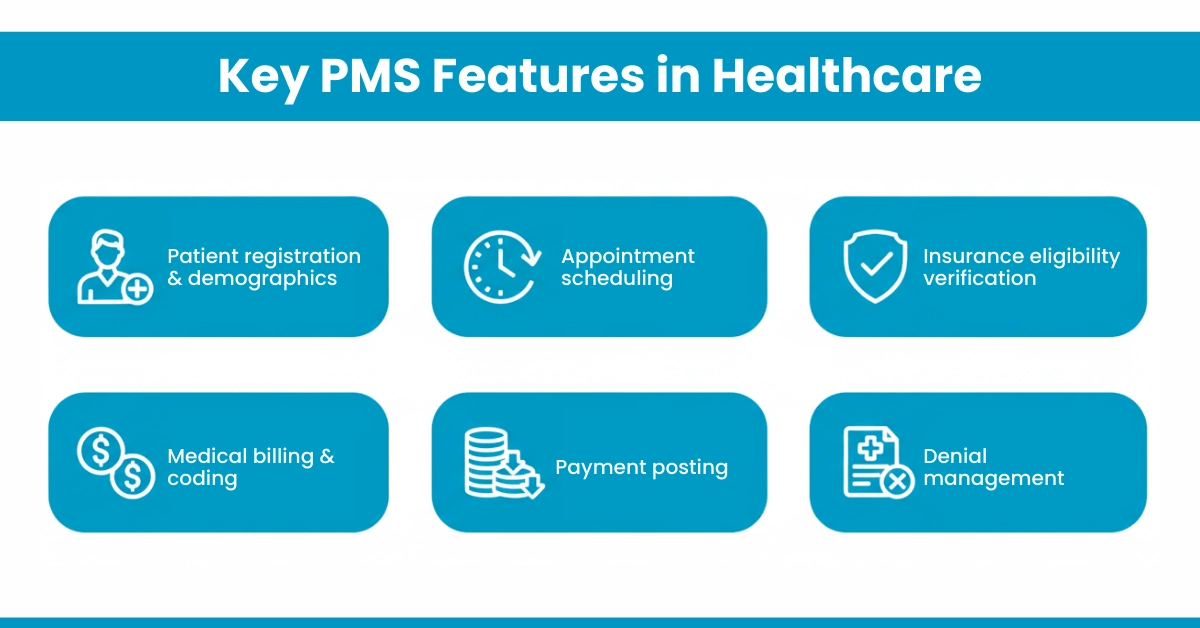
Key PMS Features in Healthcare

The PMS for clinics focuses exclusively on operational workflows. When your front desk schedules an appointment, verifies insurance coverage, or processes a payment, they’re working within the PMS environment. However, the PMS typically does not store clinical notes, treatment plans, or diagnostic information; that’s where the EHR comes in.

PMS play a critical role in coordinating billing workflows across different healthcare settings. To better understand how billing functions within a PMS-EHR ecosystem, explore Types of Medical Billing, which explains how integrated systems support accurate claims processing, reduce administrative errors, and improve revenue cycle efficiency.

What Is an Electronic Health Record (EHR)?

An EHR definition focuses on the clinical lifecycle. EHR software creates, stores, and manages patients’ medical histories electronically, replacing paper charts.

The modern EHR benefits in healthcare are given below:

  • Clinical documentation: Progress notes, treatment plans, and SOAP (Subject, Objective, Assessment and Plan) notes.
  • Order management: E-prescribing, lab orders, and diagnostic imaging requests.
  • Care coordination: Sharing records between specialists and hospitals.
  • Decision support: Drug interaction alerts and allergy warnings.
  • Patient portals: Secure messaging and test result access.

For your information: The CMS EHR toolkit emphasizes that clinical workflow software must capture structured data that supports quality reporting and population health initiatives. Your EHR contains the clinical evidence that justifies every billed service.

Primary Function of PMS vs. EHR: Comparison

The differences between the primary functions of Electronic Health Records and Practice Management Systems are outlined below, providing a clear understanding.

Aspect

Practice Management System (PMS)

Electronic Health Record (EHR)

Primary Focus

Business & Administrative Operations

Clinical Care & Patient Health Data

Core User

Administrative Staff, Billers, Office Managers

Physicians, Nurses, Clinical Staff

Key Functions

Scheduling, Billing, Insurance Verification, Reporting

Clinical Documentation, Order Entry, Decision Support

Main Data Output

Financial Claims, Revenue Reports

Patient Health Records, Clinical Notes

How PMS Interacts with the EHR

The PMS and EHR integration work together through a bidirectional data exchange that eliminates silos. Here’s exactly how PMS connects to EHR in daily operations:

The Core Exchange Flow

  1. PMS → EHR: When your front desk schedules an appointment, the PMS pushes patient demographics, insurance details, and appointment type to the EHR. This pre-populates clinical templates, saving providers time.
  2. EHR → PMS: After the clinical encounter, the EHR sends back coded data. ICD-10 codes for diagnoses (such as ICD-10 M54.5 for low back pain) and CPT codes (99214 for detailed office visit) for procedures, plus visit duration, provider credentials, and clinical notes needed for medical necessity justification.
  3. PMS → Clearinghouse: The PMS generates claims using EHR-supplied clinical data and submits them electronically, triggering automated eligibility verification and claim scrubbing.

When PMS and EHR systems are not integrated, practices are forced to manually reenter data at multiple stages of care delivery and billing. This manual handoff is a major source of errors

Did you know? Medical billing audits frequently reveal that 15-20% of billing and claim errors originate from manual data entry caused by missing or poorly configured PMS and EHR integration.

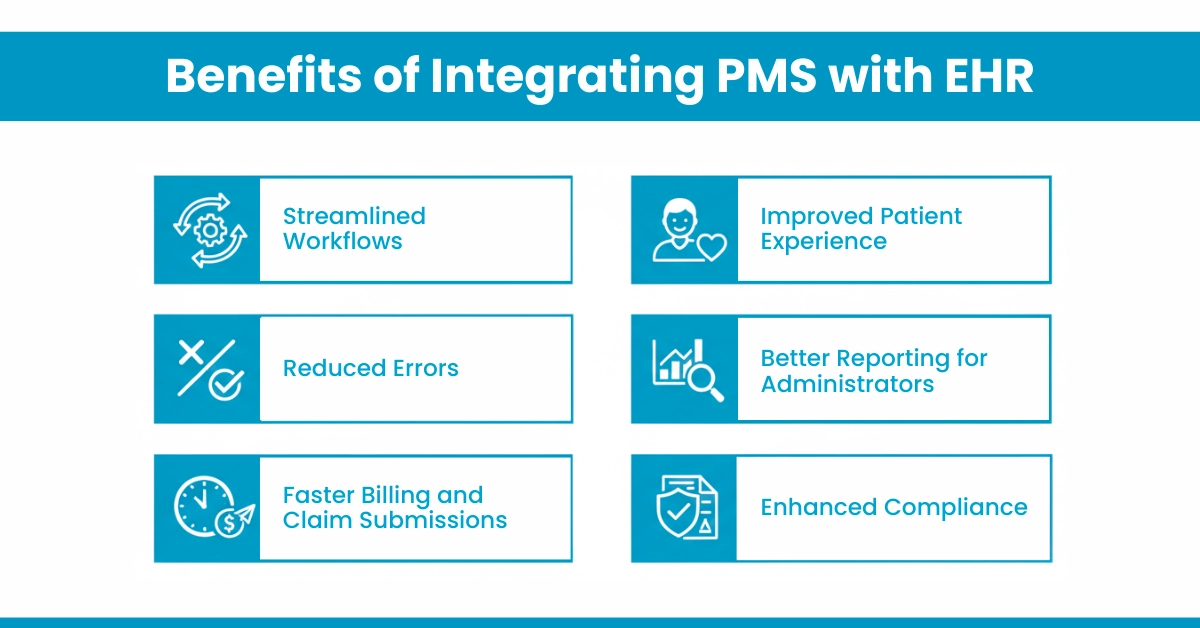
Benefits of Integrating PMS with EHR

Integrated PMS and EHR systems solve multiple ICP pain points simultaneously. Here are the measurable advantages:

  1. Streamlined Workflows: Staff no longer toggles between systems. Patient check-in updates both scheduling and clinical records instantly.
  2. Reduced Errors: Manual transcription of CPT codes like 99213 or 93000 from EHR to PMS invites mistakes. Integration ensures codes flow directly, cutting error rates by up to 40%.
  3. Faster Billing and Claim Submissions: With automated billing from EHR data, claim submission happens within 24 hours instead of 3-5 days. This directly improves RCM healthcare services’ performance.
  4. Improved Patient Experience: By this, the patient receives accurate bills faster, fewer repeated forms and insurance disputes, and also addresses patient dissatisfaction caused by billing confusion.
  5. Better Reporting for Administrators: Combined PMS-EHR integration analytics reveal which procedures (by CPT code) generate the most revenue versus denials, enabling data-driven decisions.
  6. Enhanced Compliance: HIPAA-compliant integration creates audit trails showing who accessed what data and when, reducing compliance risks during Office for Civil Rights audits.

Advice from Hello MDs: Our denial management specialists find that integrated systems reduce claim denials by 25% because clinical documentation matches billed services precisely.
Benefits of Integrating PMS with EHR

Best Practices for PMS and EHR Integration

Follow these PMS and EHR implementation tips to maximize success:

  1. Choose Compatible Systems First: Verify FHIR compliance and API documentation before purchase. Ask retailers: “How does your PMS send billing data to EHR automatically?”
  2. Automate Workflow Between PMS and EHR: Set up rules: When EHR documents a level 4 visit (CPT 99214), auto-push to PMS for billing. Use real-time insurance verification to catch eligibility issues before visits
  3. Conduct Regular Software Audits: Quarterly reviews ensure ICD codes and CPT codes are current (annual updates apply).
    Our medical billing audit services identify sync failures before they cost you revenue.
  4. Invest in Ongoing Staff Training: Monthly 30-minute refresher sessions prevent bad habits.
    Tips for you: Create quick-reference cards for common tasks like charge entry services.
  5. Monitor Key Metrics Weekly: Track claim submission time, first-pass acceptance rate, and AR over 90 days. HelloMDs provides accounts receivable dashboards that flag issues automatically.
  6. Secure Leadership Buy-In: CEOs must understand that RCM healthcare services improvement justifies the investment.

For your information: Practices see ROI within 6-12 months through reduced denials

Challenges in PMS-EHR Integration

Here are some challenges that mainly occur in PMS-EHR integration:

  • System Compatibility Issues: PMS and EHR platforms may not use standard APIs, making integration difficult.
  • Staff Training Challenges: Multiple systems increase learning curves and slow user adoption.
  • Data Privacy & HIPAA Risks: Disconnected systems raise the risk of insecure data exchange and compliance issues.
  • Limited Reporting & Visibility: Siloed data prevents a unified view of clinical and financial performance.
  • Integration Complexity & Maintenance: Middleware solutions add technical complexity and require ongoing monitoring.

Conclusion:

A PMS handles your business; an EHR manages clinical care. When they interact seamlessly, you eliminate duplicate data entry, accelerate payment posting, and reduce denied claims tracking headaches. The result: healthier revenue cycles and happier patients.

Our AAPC-certified coders and billing specialists help practices achieve 95%+ first-pass claim acceptance by optimizing PMS and EHR workflow.

Whether you need prior authorization support, denial management, or full RCM healthcare services, we ensure your systems work together, not against each other.

Disclaimer:

For informational purposes only and not a substitute for professional medical or billing advice. Verify all codes and procedures with certified professionals. Some images in this article are AI-generated or used for illustration purposes only.

Frequently Asked Questions

A PMS streamlines appointment booking, tracks patient visits, sends reminders, manages cancellations, and ensures efficient front-desk workflow.

Integration occurs via native APIs, middleware platforms, HL7 or FHIR standards, ensuring seamless data exchange between PMS and EHR.

Providers, billing teams, administrative staff, and patients benefit from reduced errors, faster billing, better scheduling, and improved care coordination.

Integration maintenance is shared between IT teams, software vendors, and practice administrators to ensure smooth, secure, and compliant operations.

Providers can explore certified vendors, industry associations, trade shows, online directories, and healthcare IT marketplaces for integrated PMS-EHR solutions.

Leave a Reply

Your email address will not be published. Required fields are marked *

×

Request a Free Consultation